
My laptop was 90% full. pnpm fixed it.
My laptop hit 90% full, mostly node_modules. Switching from npm to pnpm cut disk use by 50% to 87% and made installs faster. The story, with a small calculator to try it yourself.
A true story · 3 minute read
My laptop was 90% full. Most of it was node_modules.
Here is how one small tool, pnpm, gave me my space back. It made my installs faster too.
Chapter 1
How it got this bad
I build a lot of demo projects. Every project gets its own node_modules folder. That is where npm puts all the code your app depends on.
You never look at it, so you forget about it. But six months later my laptop was 90% full, and most of that space was node_modules.
Chapter 2
The annoying loop
My fix was always the same:
- Delete node_modulesOn projects I was not working on, to free space.
- Come back for a demoA few weeks later I need that project again.
- Reinstall everythingWait for every package to download. Again.
- Disk full againSo I delete another project's node_modules.
...and round and round it goes. Annoying and frustrating.
Chapter 3
So I asked AI
I tried it. It worked like magic.
Chapter 4
The idea, in one picture
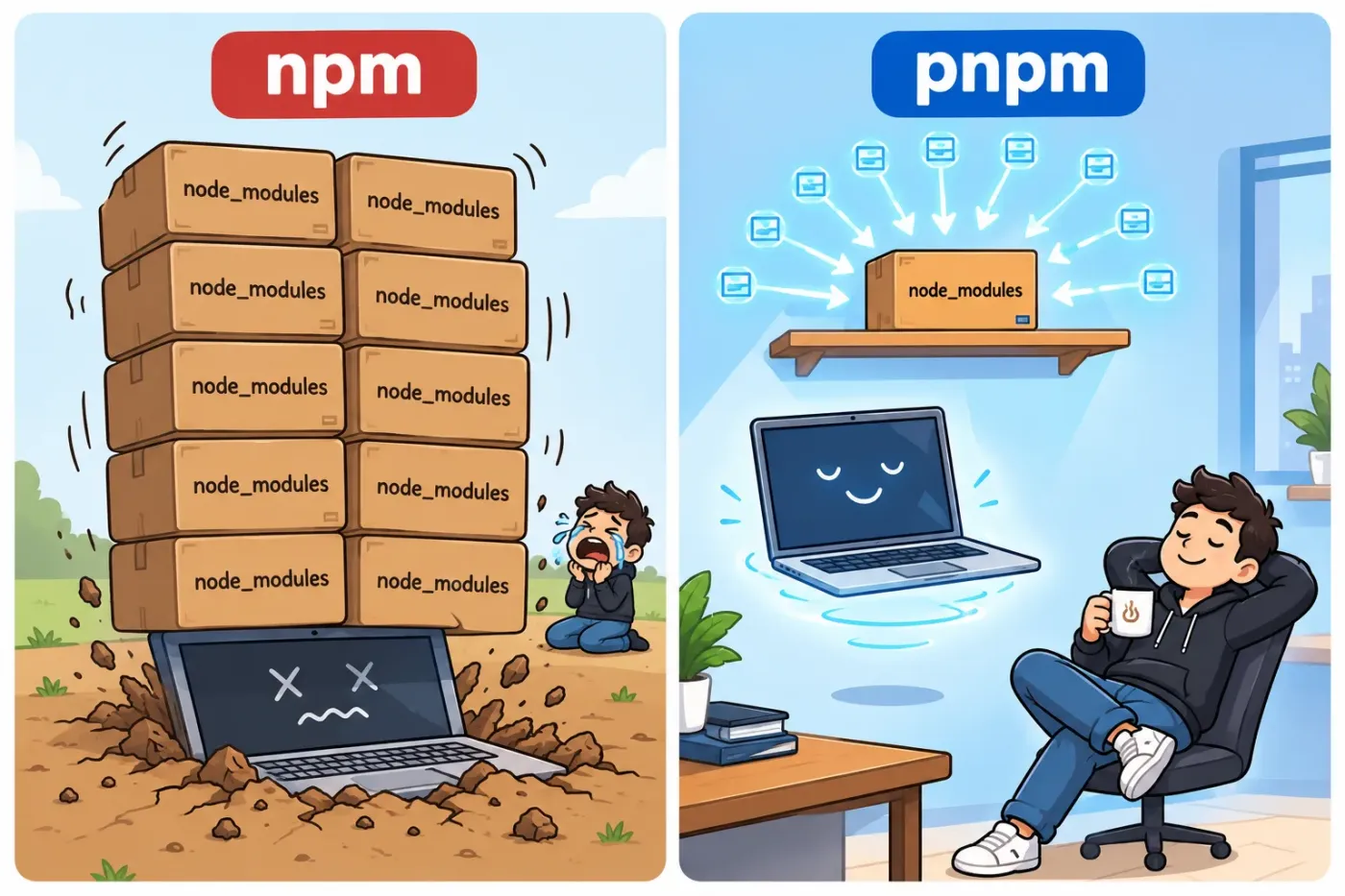
Think of a library. npm buys a fresh copy of the same book for every project. pnpm keeps one copy on one shelf, and every project just borrows it.
npma full copy inside every project
3 projects = 3 copies of everything
pnpmone shared copy, projects only link to it
3 projects = 1 copy
Dashed boxes are only links. They take almost no space.
Chapter 5
Try it: how much would you save?
Drag the slider to the number of projects on your laptop.
You save about 87%
Chapter 6
The numbers
These are the typical savings developers report when they move from npm to pnpm.
1 project
50–70%
less disk space, even with no sharing at all
10 projects
85%+
less disk space (about 10x bloat becomes 1.3x)
15 to 20 projects
up to 87%
of the space reclaimed by developers who switched
The more projects you have, the bigger the win. Ten projects that use the same version of React keep one copy on disk, not ten.
Chapter 7
It is faster too
Once a package is in the shared store, a new project does not download it or copy it again. It just links to it. For me, installs felt quicker, especially for projects that reuse the same packages.
Chapter 8
Switching takes a minute
Run this inside a project:
$ npm install -g pnpm$ pnpm import # keeps your exact versions$ rm -rf node_modules package-lock.json$ pnpm installAfter that, use pnpm dev and pnpm build like you used to use npm.
package.json. If something breaks after switching, add the missing package.pnpm store prune to remove packages no project uses any more.The short version
If your laptop is full of demo projects
- node_modules was 60–70% of my used space.
- pnpm stores each package once and links it everywhere.
- Typical savings: 50–70% for one project, up to 87% for many.
- No more deleting and reinstalling just to free up space.
Try it on one project first. It takes about a minute. What is the biggest folder on your laptop right now?
Numbers are typical ranges reported by developers, not a lab test. Results depend on how many projects you have and which packages they share.